
Revit 2026 is now supported by ArtisanRV. For landscape design professionals, we have highlighted just some of the features where ArtisanRV further enhances the developments in this latest Revit release.
The enhancements to toposolids and their sub-divisions extends the functionality that CloudScapes already includes within the ArtisanRV tools. The Revit 2026 developments have given us a great base upon which to continue the evolution and progress we continue to make within planting and groundworks.
What’s new for landscape design in Revit 2026?
Enhanced toposolid sub-divisions
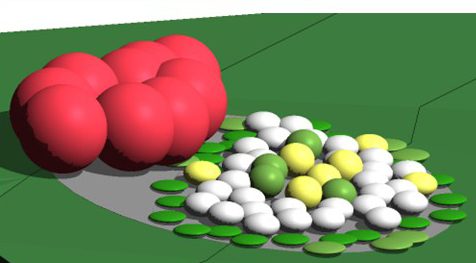
Assign zero or negative values to sub-divisions for:
- More realistic terrain modelling
- Better integration of hardscape features
- More accurate management of below-ground features like tree pits and root systems
Scheduling and sub-division visibility
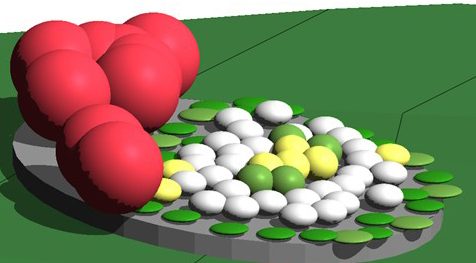
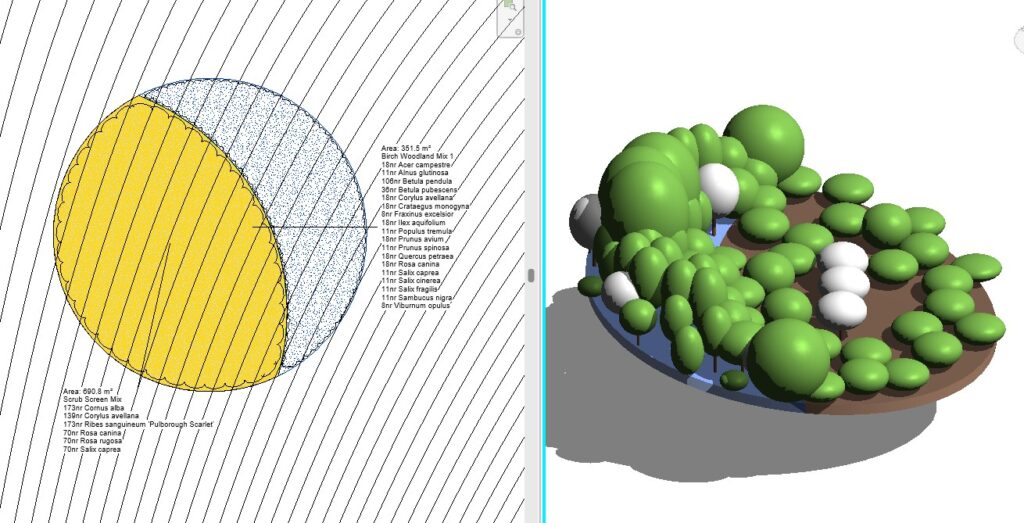
Sub-divisions are now a subcategory of TopoSolids, allowing custom graphics and inclusion in schedules for:
- Improved documentation and clarity
- Supported quantity take-offs for elements like paths and planting beds
- Definition and separation of different planting beds (in ArtisanRV, floor tools migrate seamlessly to these new toposolid sub-divisions)
- Superior workflows within ArtisanRV than adapted floor tools – maintaining that dynamic link to the host toposolid
- Accurate modelling of below-ground topography-dependent elements like tree pits and rootballs.
Copy and paste points and lines in toposolids
Copy and paste slab points and lines when editing topoSolids, roofs, or floors for:
- Faster terrain editing
- Easier replication of grading patterns across multiple areas
Improved cut-fill volume accuracy
Precision placement and calculating cut and fill volumes has been enhanced for:
- More reliable earthwork estimates
- Better insight into grading and excavation planning
ReCap Pro Mesh plugin integration
Now you can import and edit reality capture mesh data directly in Revit, allowing:
- Site analysis and design based on real-world topography
- Real-time consideration of existing conditions
Accelerated graphics tech preview
Improved visual performance and responsiveness for large models means:
- Better navigation and editing in complex landscape projects
- Slicker and quicker manipulation of designs with extensive terrain and vegetation.
Modernised user interface and resizable dialogs
With a more intuitive interface, you can customise panels and dialogs easily for:
- A more streamlined workflow
- Reduction in conflicts between landscape components and schedules
Exports processing in the background
Tasks like PDF exports now run in the background, allowing for:
- Uninterrupted modelling while preparing documentation sets for landscape plans.
If you’re ready to move to the next level in landscape design in Revit 2026, make the most of these new features – download your FREE TRIAL of ArtisanRV now!